Comments between chapters, and settings that make sense
2 min read
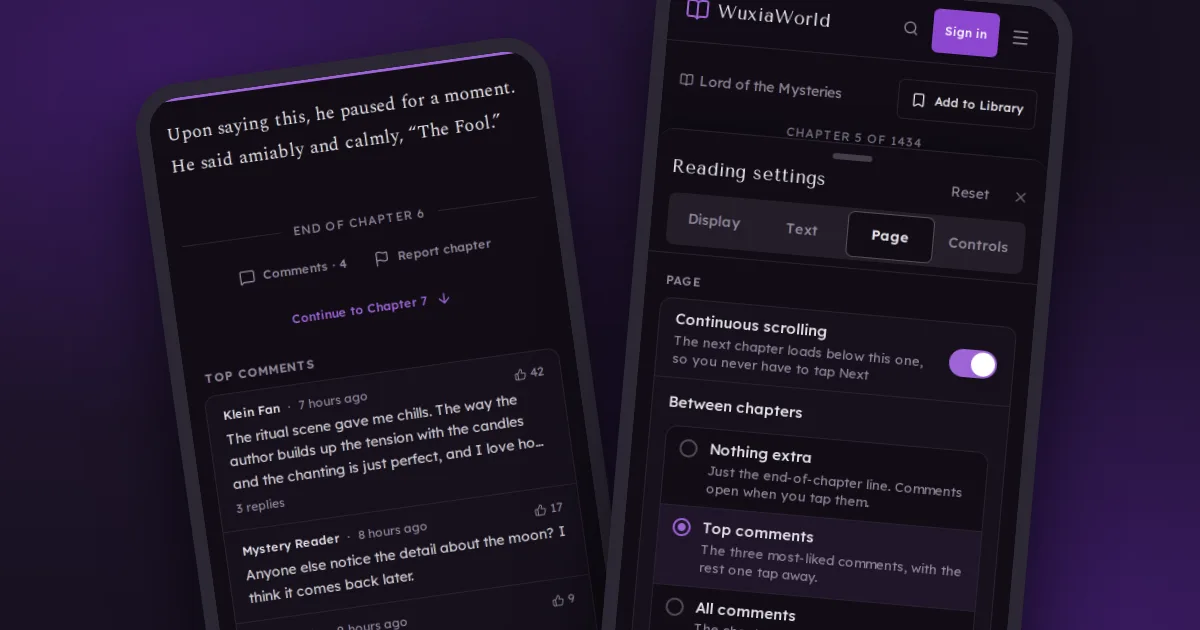
Readers who use continuous scrolling asked for one thing more than anything: to see the comments at the end of each chapter without tapping to open them every time. That's here, along with a long list of fixes to the parts of the site you change settings in.
Choose what shows between chapters
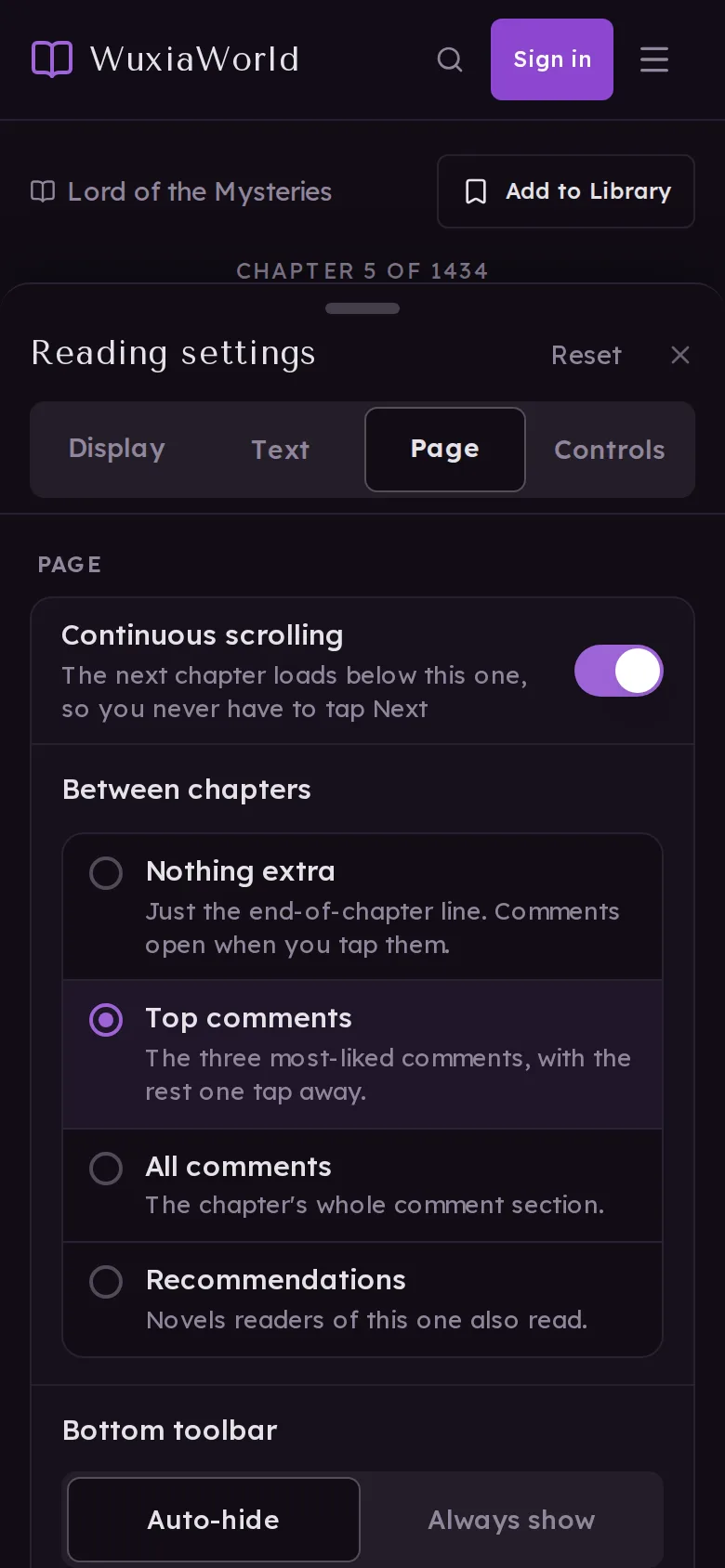
With Continuous scrolling on, open the reader's Settings › Page and pick what appears under Between chapters:
- Nothing extra (the default): just the end-of-chapter line. Comments open when you tap them.
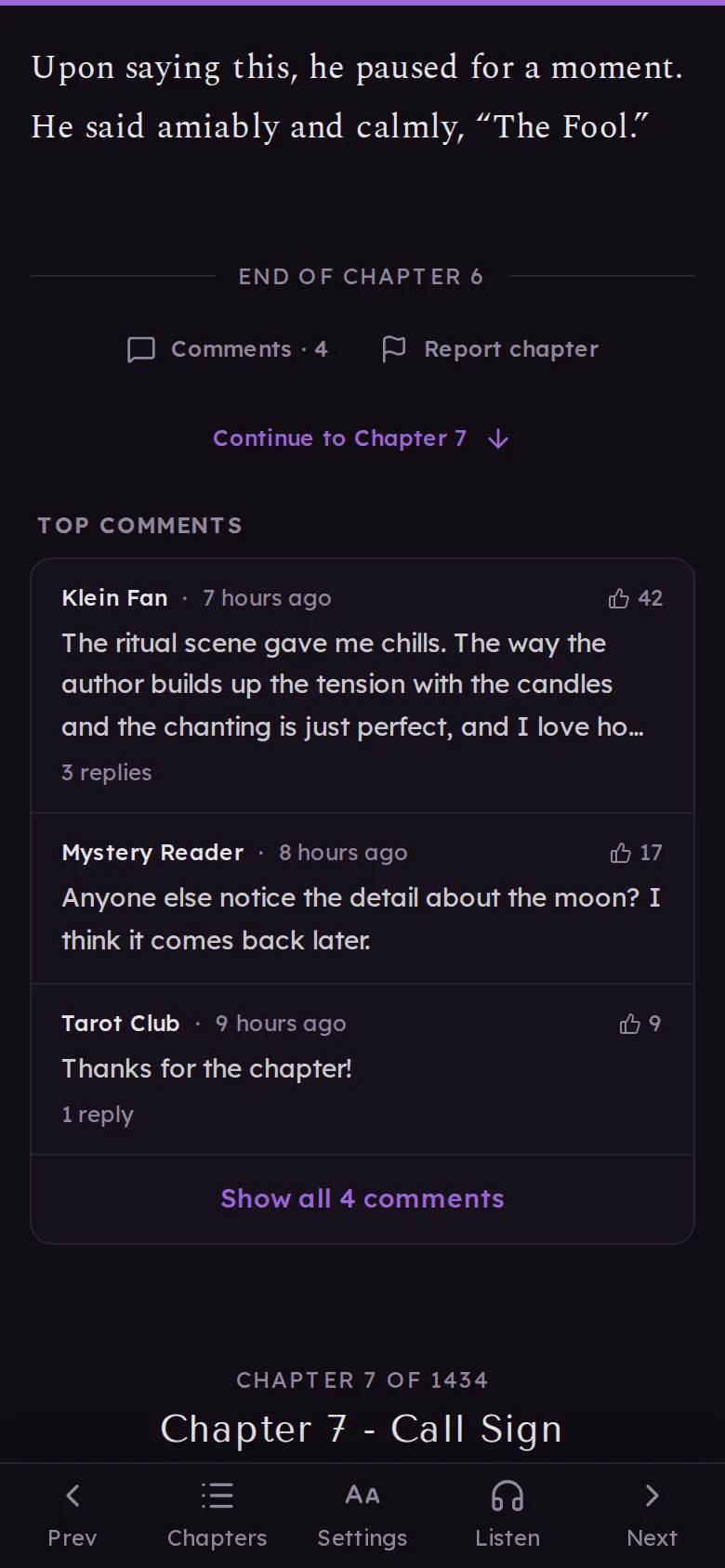
- Top comments: the three most-liked comments, with the rest one tap away.
- All comments: the chapter's whole comment section.
- Recommendations: novels that readers of this one also read.
The first time you open comments at a chapter break, the site offers to keep them showing, so you don't have to go looking for the setting. When something is showing, a Continue to Chapter N button takes you straight past it.
Reading settings, reorganised
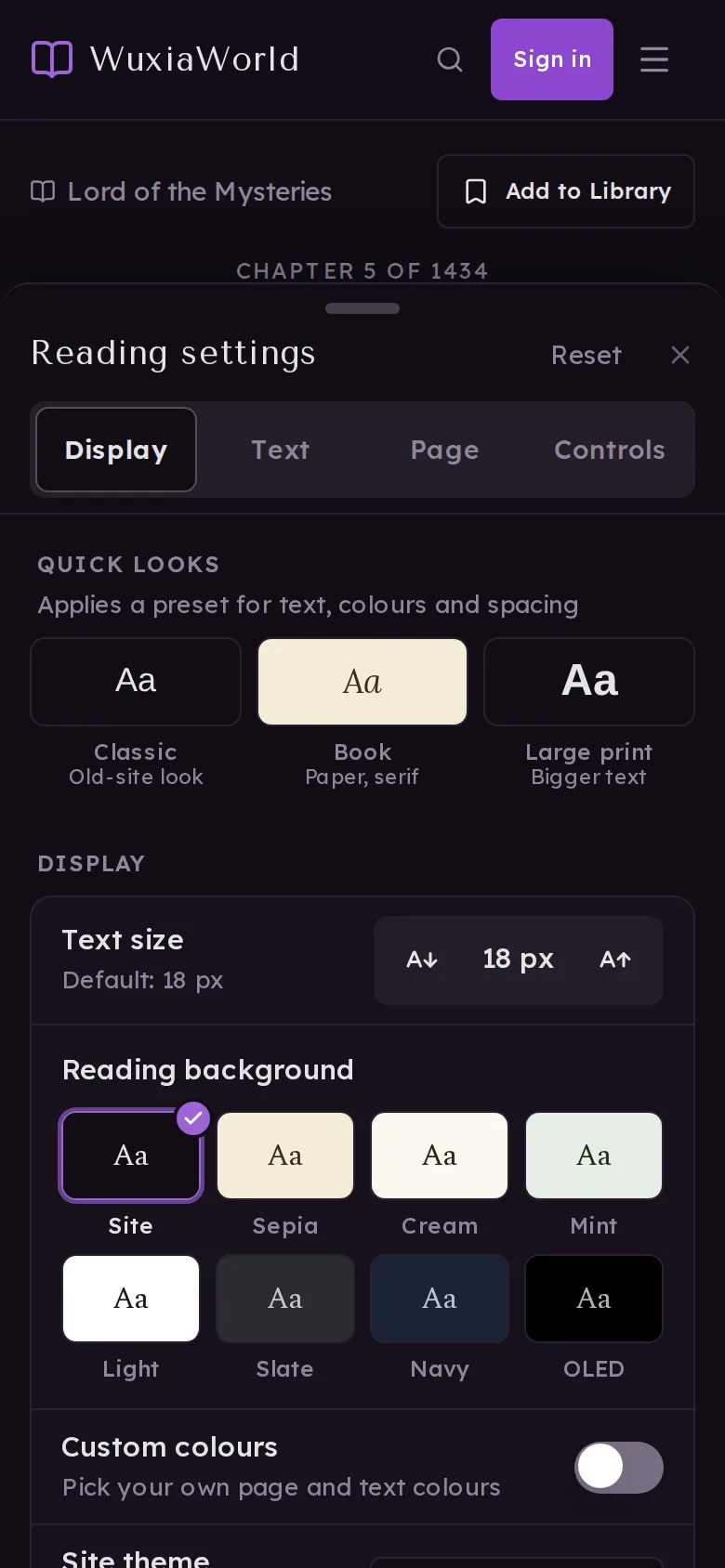
Everything is now one list with four quick jumps at the top: Display, Text, Page and Controls. Quick looks at the top set text, colours and spacing in one tap. On a computer, Settings opens at the side so the chapter stays readable while you adjust it. Reset puts everything back, and Undo brings your settings back if you didn't mean it.
If you pick your own colours and they're hard to read, the settings themselves stay readable so you can always change them back.
Listening keeps your place
If you listen with your phone locked, the chapters you listen to now get their checkmark in the chapter list, and your place follows the voice, so Continue reading picks up where the voice stopped.
Browse filters, simpler
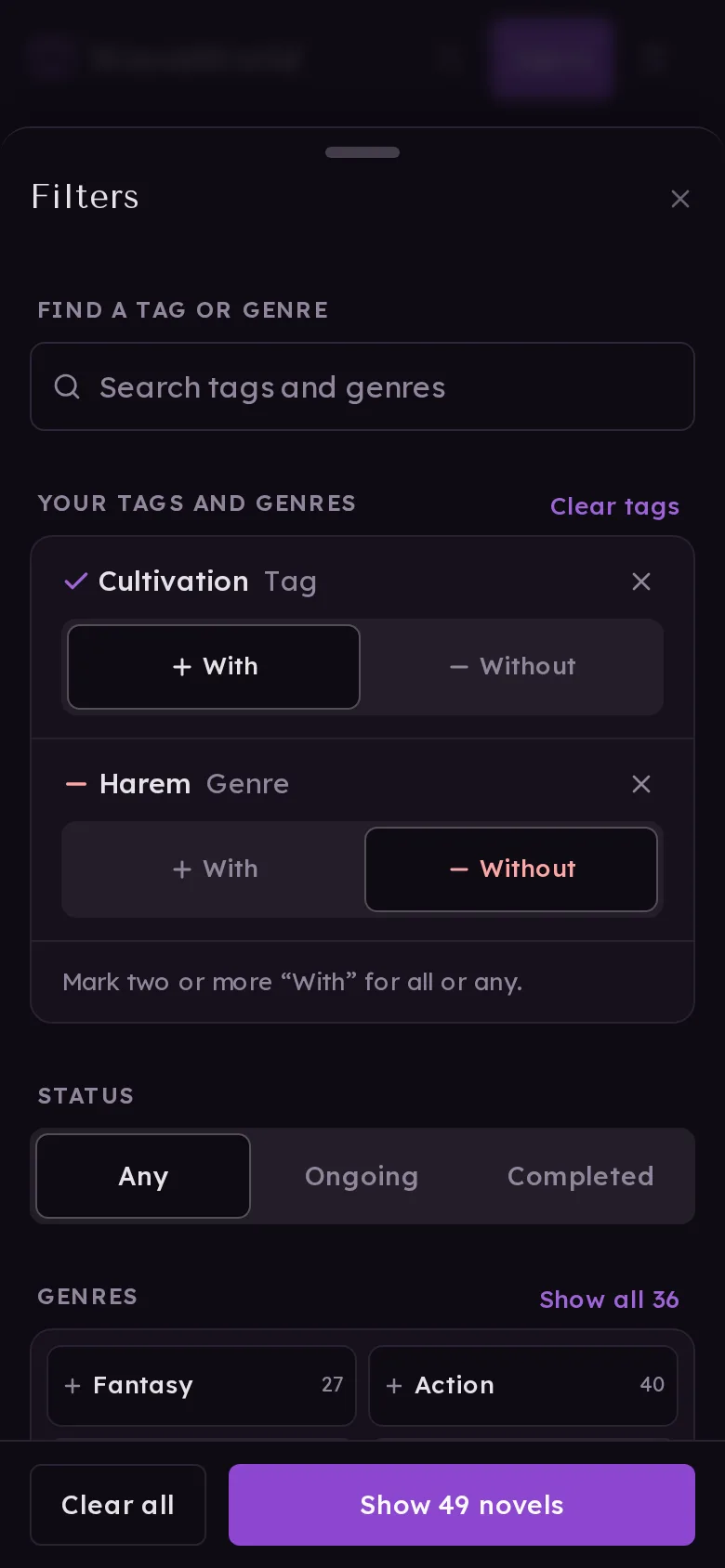
Genres sit in a tidy grid and popular tags in a list with their counts. Everything you've picked is at the top under Your tags and genres, each switchable between With and Without. Taps never move what's under your finger, and if you clear something by mistake, Undo is right there.
What reputation and badges unlock
Your account settings now list everything you can unlock, like uploading your own picture, name styles and avatar frames, with what each one needs and how close you are. Find it in Settings › Profile › What you can unlock.
Also new
- A Community menu in the header (and in the phone menu) with the Blog, Feedback and the Leaderboard.
- Downloads are clearer: one count everywhere, an Undo when you delete a chapter, and downloads you left unfinished show up on the novel's page so you can resume them.
- Sign-in, feedback, comments, reviews and reports all behave the same way now: errors show where the problem is, and nothing loses what you typed.
Thanks to the reader who asked for comments between chapters. Tell me in the comments what else would make reading here easier.
Posts